How to add a Disposal
Step 1
From the homepage click on Disposals

Step 2
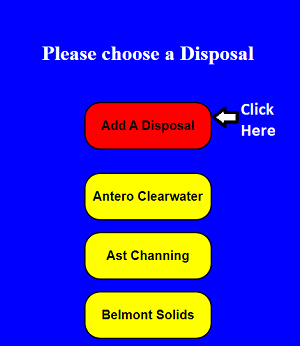
Click on "Add A Disposal"
Step 3
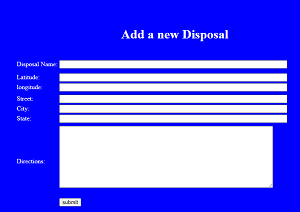
Completely fill out the form. If you do not have
latitude or longitude leave it blank.
Then click "submit".
Just click "OK".